Five font pairings for founder-led businesses – and how to use them in Squarespace
Typography is one of the first decisions a brand makes – and one of the least understood.
Not because it's technically complicated, but because its effect is felt before it's noticed. A visitor to your website forms an impression of your business in the first few seconds. Much of that impression comes from type: the weight of a heading, the rhythm of a paragraph, the relationship between the two. By the time they're reading your words, the typography has already said something.
For founder-led businesses, that first impression carries particular weight. The brand isn't a layer applied on top of the business – it's an expression of the person building it. Typography is one of the places where that character either comes through clearly or gets lost in a generic choice made under time pressure.
The good news is that getting it right doesn't require a large budget. All five pairings in this guide are from Google Fonts – free, well-made, and widely supported. What they're not is arbitrary. Each one has been chosen because it holds up under the specific pressures founder-led businesses face: the need to feel credible and approachable at the same time, the need to scale without being rebuilt, and the need to feel like a particular person rather than a category.
What a pairing actually does
A single typeface can carry a brand. But two typefaces working together – one for headings, one for body copy – create something a single face rarely achieves on its own: contrast without conflict.
The heading font sets the tone. It's the first thing a visitor encounters, and it carries the most expressive weight. The body font does the sustained work – it's what a visitor is actually reading for most of their time on the page, and it needs to be legible, comfortable, and unobtrusive without being characterless.
When a pairing works, the two fonts complement each other without competing. The heading draws attention; the body sustains it. That relationship is what I'm looking for when I choose a pairing for a founder's brand – not just two fonts that look good individually, but two that create something together.
THE FIVE PAIRINGS
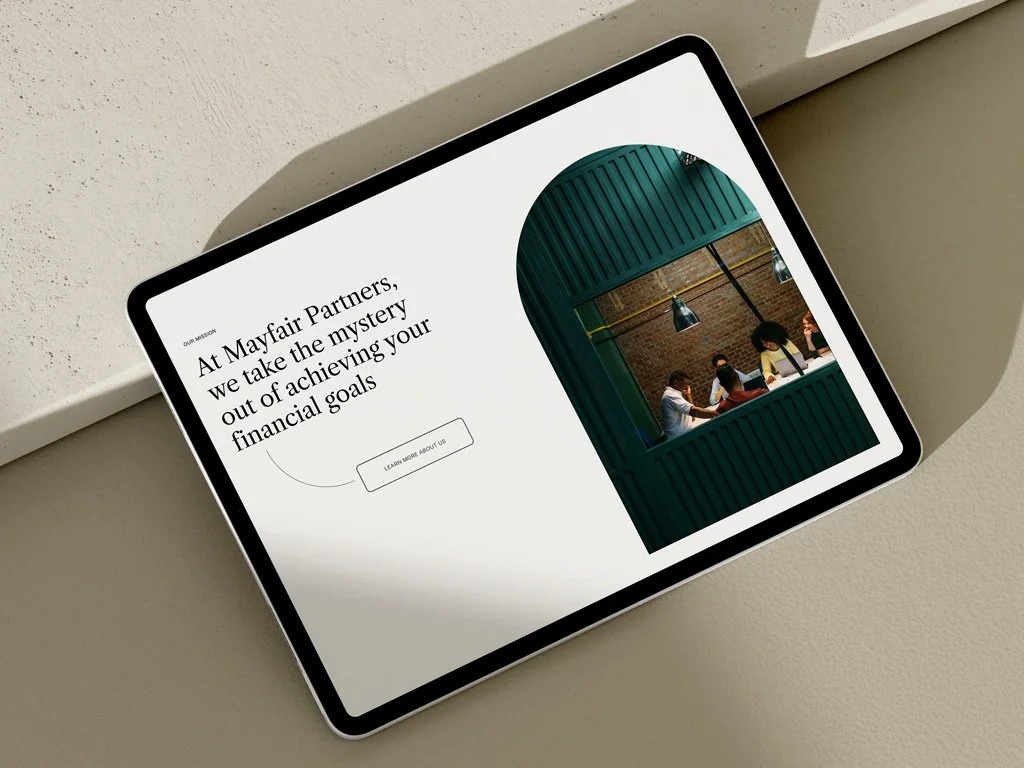
Libre Caslon Text and Inclusive Sans – font pairing
1. Libre Caslon Text + Inclusive Sans – Classic, established
The mood: Trust, longevity, subtle authority.
Libre Caslon Text is a revival of a mid-twentieth century American typeface with roots going back much further. It carries the weight of institutions – law, architecture, finance, publishing – without the stiffness that can make a brand feel closed off. Paired with Inclusive Sans as body copy, the combination opens up: the heading has gravitas, the body is warm and readable.
This pairing works particularly well when a founder needs their brand to signal experience without signalling distance. A consultant, an advisor, an architect, a heritage-oriented service business. Someone who wants a visitor to sense that they've been doing this for a long time – and doing it well.
In Squarespace:This pairing suits sites with generous white space, restrained colour palettes, and a clear editorial structure – a strong heading hierarchy, long-form copy, minimal decorative elements. It rewards a site that lets the typography do the work rather than competing with photography or illustration.
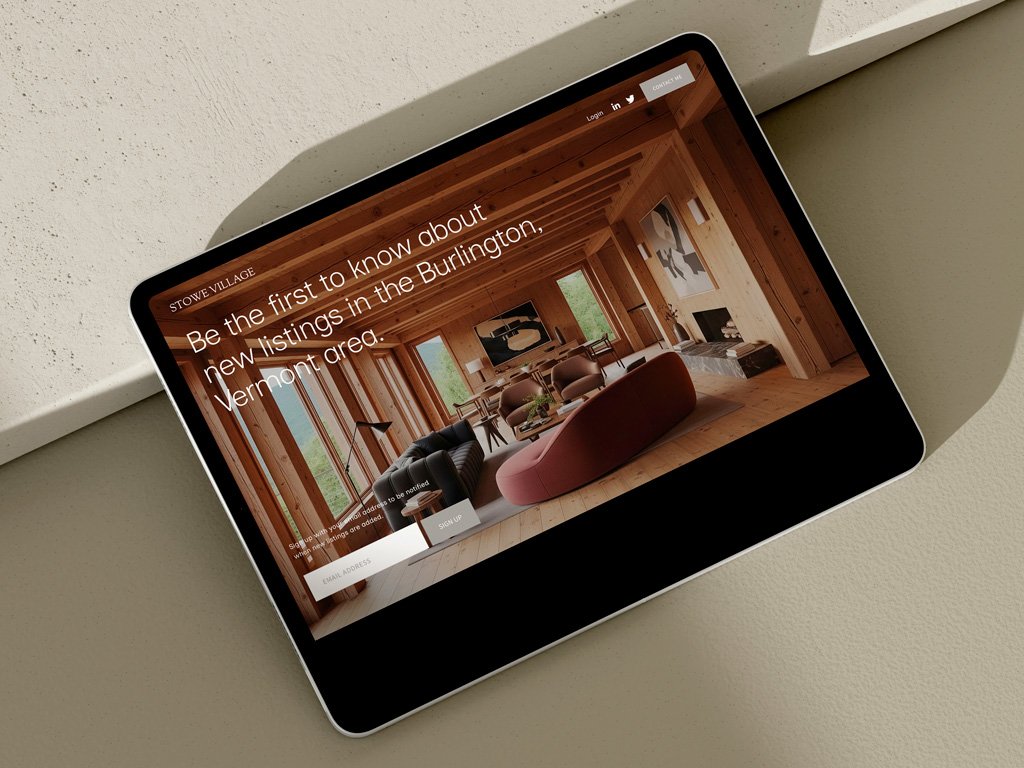
Inclusive Sans – mono-font pairing
2. Inclusive Sans (mono-font pairing) – Modern, minimal
The mood: Contemporary, confident, unfussy.
Using a single typeface across headings and body copy is a deliberate choice, not a shortcut. When the typeface is strong enough, the result is a kind of visual discipline – everything is held within a single system, and hierarchy comes from size, weight, and spacing rather than contrast between faces.
Inclusive Sans was designed by Olivia King with legibility as a primary concern, which makes it unusually versatile. At large heading sizes it reads as clean and modern; at body copy sizes it remains genuinely comfortable to read. For a founder who wants their site to feel precise and contemporary without being cold, this is a pairing worth considering.
In Squarespace: This pairing suits sites that are confident in their structure – clear sections, strong use of negative space, and a layout that doesn't need typographic contrast to create hierarchy. It works well for tech founders, product designers, and anyone building in the SaaS or clean luxury space. The mono-font approach also simplifies the type system considerably, which is useful if you're managing the site yourself.
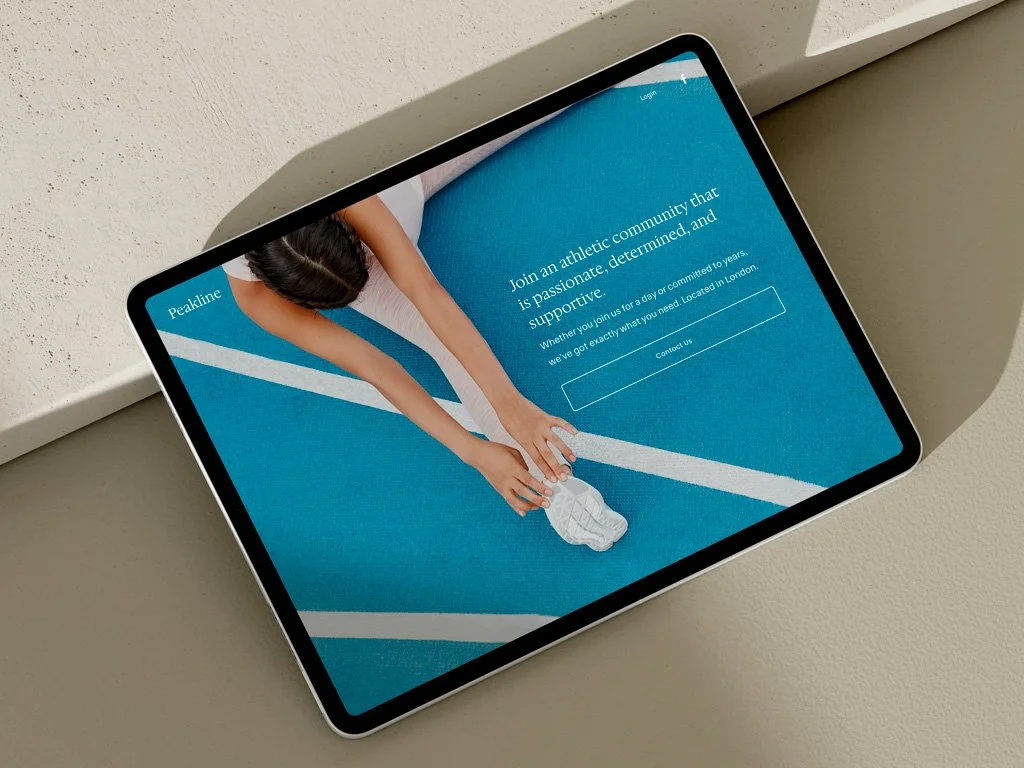
Hedvig Letters Serif and Sans – font pairing
3. Hedvig Letters Serif + Hedvig Letters Sans – Warm, approachable
The mood: Warmth and professionalism held in the same hand.
The tension I encounter most often in founder-led branding is professional versus approachable. Founders want both – and they're right to. Too corporate, and people feel processed. Too casual, and credibility drains away regardless of how good the thinking is.
Hedvig Letters is one of the few typeface families that holds that balance without strain. The Serif carries enough refinement to feel considered; the Sans carries enough warmth to feel human. Used together, they create a brand that feels like a real person who also happens to be very good at what they do.
One practical note: Hedvig Letters comes in a single weight. Hierarchy has to come from size and spacing rather than weight contrast – which requires a little more care in the layout, but produces a gentler, more considered result.
In Squarespace: This pairing suits coaches, therapists, creative consultants, and people-first service businesses. In terms of site character: warmer photography, softer colour palettes, sections that breathe. It works less well on sites that rely on bold typographic contrast for impact – the single weight means you need the layout to carry the structure.
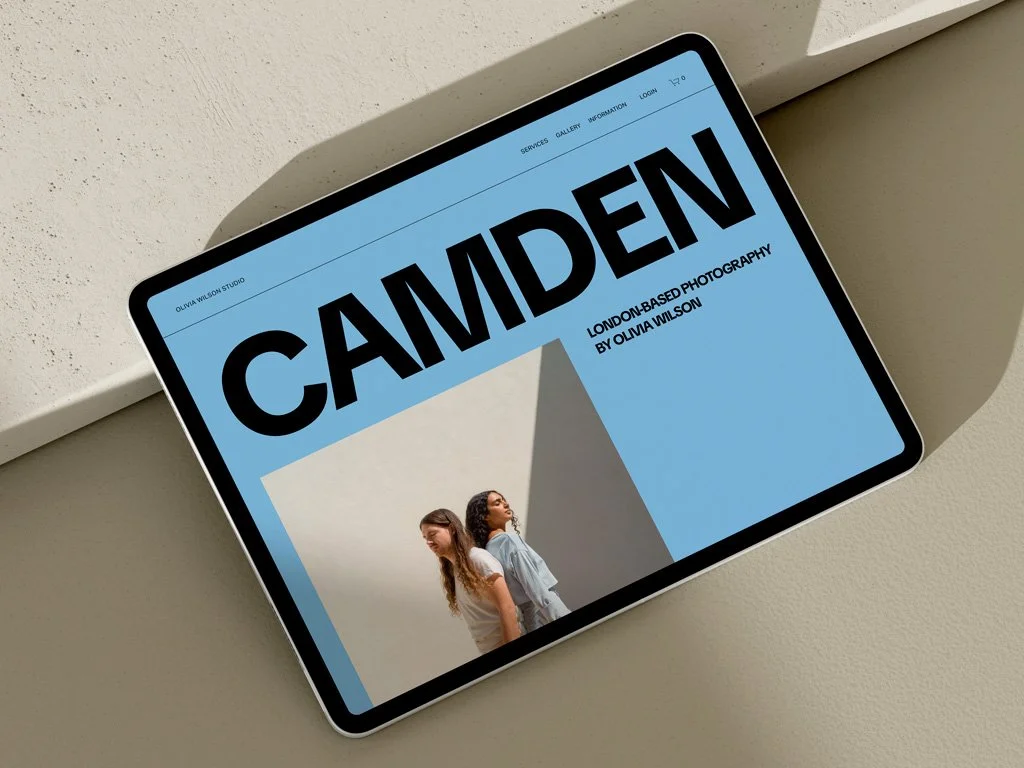
TikTok Sans – font pairing
4. TikTok Sans Extra Bold + TikTok Sans Regular – Bold, creative
The mood: Energy, personality, cultural confidence.
TikTok Sans was designed as a brand typeface and it shows – it has a strong, distinctive character that doesn't disappear at large sizes. The Extra Bold weight used for headings has the kind of presence that stops a scroll. Paired with TikTok Sans Regular for body copy, the contrast between the two weights creates a punchy, graphic quality that works well for brands with visual confidence. As with all the pairings in this guide, heading and body draw from the same family – here, weight contrast does the work that a serif-sans combination would do elsewhere.
This pairing is for founders who want their site to feel alive. Creative agencies, content creators, hospitality brands, event businesses, anyone who wants personality before polish. It demands a layout that can match its energy – strong photography, considered colour, and a structure that gives the type room to make an impact.
In Squarespace: This pairing suits sites with a strong visual identity and photography that can hold its own against bold typography. It works well in full-width layouts with large heading sizes. One watch-out: at small sizes or in long-form body copy, the personality of the typeface can become fatiguing – use it where it has space to perform, and keep body copy sections tight and well-paced.

Geist Medium and Regular – font pairing
5. Geist Medium + Geist Regular – Technical, precise
The mood: Precision and structure with a contemporary, human touch.
Geist was designed by Vercel – the infrastructure company behind some of the most widely used developer tools – and it carries that provenance well. It's a typeface built for environments where clarity and hierarchy matter: interfaces, documentation, technical communication. But it's warmer than a purely utilitarian sans-serif. There's care in the letterforms that prevents it from feeling cold. As with TikTok Sans, heading and body draw from the same family – weight contrast between Geist Medium and Geist Regular creates the hierarchy that a serif-sans combination would achieve elsewhere.
For technical founders – software, engineering, fintech, data – this pairing signals credibility without requiring them to choose between looking technical and looking human. It does both, and it does them without trying.
In Squarespace: This pairing suits sites where structure and clarity are the primary communication goals. Clean grid layouts, well-defined sections, minimal decoration. It also works well for any founder who wants their site to feel like a considered product rather than a marketing exercise – the typeface rewards sites that are built with intention rather than accumulated over time.
How to use Google Fonts in Squarespace
All five pairings are available free from Google Fonts. Here's how to apply them in Squarespace:
Download the font files from Google Fonts and save them to your computer. In your Squarespace site, go to Design → Fonts → Upload a font and upload each font file. Once uploaded, you can assign them to heading and body styles in the font settings panel.
A few things worth knowing: Squarespace's font settings apply globally, so changes affect every page. If you're working with a pairing that has multiple weights – like TikTok Sans or Geist – upload each weight separately and assign them deliberately. For the mono-font pairing (Inclusive Sans), you'll be assigning the same typeface to both headings and body, and relying on size and spacing settings to create hierarchy.
If this feels technical, it's something we cover in client handover – and something I'm happy to walk through in a future post.
Sign up for Studio Notes and download our free guide: Five Font Pairings for Founder-Led Businesses. Each pairing includes Google Fonts links and notes on mood, use, and why it works.